What Is Apple Pay and How Can You Use It for MoneyTO Transfers?
22.07.2026
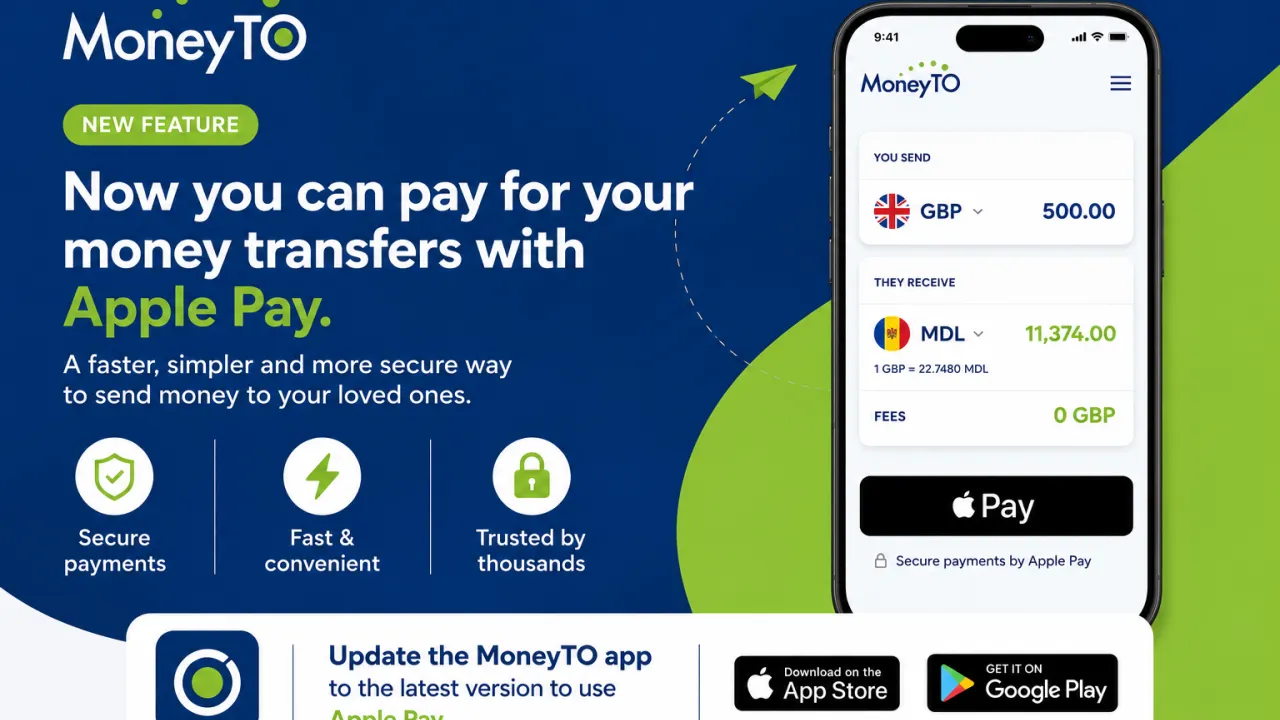
MoneyTO customers can now use Apple Pay to pay for eligible money transfers through the MoneyTO mobile app.
But what is Apple Pay, how does it work, and why has it become such a popular payment method?
What Is Apple Pay?
Apple Pay is a digital payment service developed by Apple. It allows users to add an eligible debit, credit or prepaid card to Apple Wallet and use it to make payments through a compatible Apple device.
Apple Pay can be used:
• In shops that accept contactless payments • Within compatible mobile apps • On participating websites • For subscriptions and other digital services
Instead of manually entering card details, customers can select Apple Pay and approve the payment using Face ID, Touch ID or their device passcode.
When Was Apple Pay Introduced?
Apple Pay was first launched in the United States in 2014 and became available in the United Kingdom in 2015.
Since then, it has expanded across many countries and is now accepted by thousands of banks, applications, websites and retailers around the world.
Its popularity has grown because it offers customers a quick and simple way to pay without repeatedly entering their card information.
How Does Apple Pay Make Payments Faster?
During a traditional card payment, customers may need to enter their card number, expiry date, security code and billing information.
With Apple Pay, the eligible card is already stored in Apple Wallet. Customers can therefore review the payment and confirm it directly through their device.
This can be particularly convenient when customers:
• Are making a payment from their mobile phone • Do not have their physical card nearby • Prefer not to enter their card details manually • Regularly use mobile apps and online services
Apple Pay does not replace the customer’s bank card. It simply provides another way to use an eligible card through a compatible Apple device.
Is Apple Pay Secure?
Apple Pay includes security and privacy features built into compatible Apple devices.
The customer’s full card number is not normally shared with the merchant during an Apple Pay transaction. Payments must also be authorised using Face ID, Touch ID or the device passcode.
Customers should still follow normal security precautions, such as protecting their device and passcode and contacting their bank immediately if they notice an unfamiliar transaction.
Apple Pay Is Now Available in the MoneyTO App
MoneyTO customers can now select Apple Pay when paying for eligible money transfers through the MoneyTO mobile application.
Customers can prepare their transfer in the usual way by choosing the destination, entering the amount and providing the recipient’s details.
At the payment stage, eligible customers can select Apple Pay and approve the payment directly through their Apple device.
This provides another fast, simple and convenient way to complete a MoneyTO transfer.
How to Pay for a MoneyTO Transfer with Apple Pay
To use Apple Pay in the MoneyTO app:
- Update the MoneyTO app to the latest available version.
- Log in to your MoneyTO account.
- Select the destination country and transfer method.
- Enter the amount and recipient details.
- Review the exchange rate, fee and transfer information.
- Select Apple Pay as the payment method, where available.
- Confirm the payment using Face ID, Touch ID or your device passcode. Customers should always review all transfer details before confirming the payment.
What Do You Need?
Before using Apple Pay with MoneyTO, customers should make sure that: • They are using a compatible Apple device • Apple Pay is set up on the device • An eligible card has been added to Apple Wallet • Their bank or card issuer supports Apple Pay • The MoneyTO app has been updated to the latest version
Availability may depend on the customer’s device, country, card, bank or card issuer.
Why Is This Important for Money Transfer Customers?
International money transfers are often made when family members or friends need financial support.
A faster and simpler payment process can make these important transactions more convenient. By adding Apple Pay, MoneyTO is giving eligible customers another way to pay for their transfers and helping make the mobile experience easier and more efficient.
Final Thoughts
Apple Pay has changed how many people pay in shops, applications and on websites. With Apple Pay now available in the MoneyTO mobile app, eligible customers can pay for their transfers without manually entering their card details each time.
To use this feature, customers should update the MoneyTO app to the latest available version and ensure that Apple Pay is correctly set up on their device.
Important Information
Apple Pay availability is subject to device compatibility, country or region, and support from the customer’s bank or card issuer. Individual cards may not be eligible. Customers should review the exchange rate, recipient amount, applicable fee and all transfer details before confirming a transaction.
Apple Pay and the Apple Pay logo are trademarks of Apple Inc., registered in the United States and other countries and regions. Apple Wallet is a trademark of Apple Inc. All other trademarks, logos and brand names are the property of their respective owners.